
EN
EN English
ZH 中文
JA 日本語
KO 한국어
Vega3D
Vega3D Web(Free Trial) Vega3D Web 2.0(Free Trial) Convert / MergeTool (Download) License Request ▶ Show Video(Example) Technical
Document
Utility Stock Vega3D YouTube Click
!!!
Brochure (Rev.4) Click
!!!
★ MAY 4, 2026 Launched!! Vega3D Vibe Kit Show
AI-Powered
Large-Scale 3D Visualization

Vega3D

Build powerful CAD applications with Vega3D X and Vega3D Web - a comprehensive 3D visualization solution.

100% .NET Managed Code
50+ File Formats
24/7 Technical Support
Scroll
01 — Visualization Solutions

Real-time rendering engine for massive 3D datasets,
built on Web & PC.

AI-powered visualization platform for industrial-scale 3D CAD environments.

Vega3D X
V11 Most Popular

Vega3D X

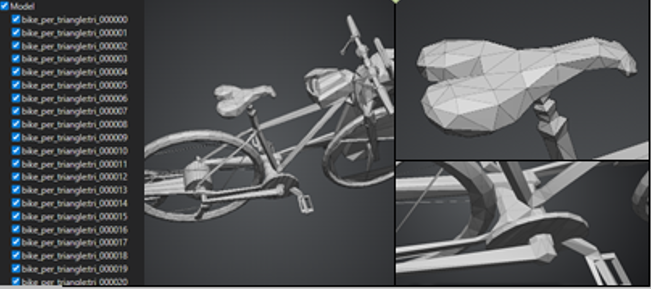
CAD System Synchronized, Large-Scale 3D Model Visualization

Powered by VegaGO — Offline Private AI

Desktop PC Notebook PC
  • Real-time rendering of CAD models (PC)
  • Load rev / rvm / glb / etc. — Import iges / stp / etc.
  • Measurement / Slicing / Clipping
  • 2D Drafting Mode — Model & Geometry Attribute
  • Model Collide Check — Avatar
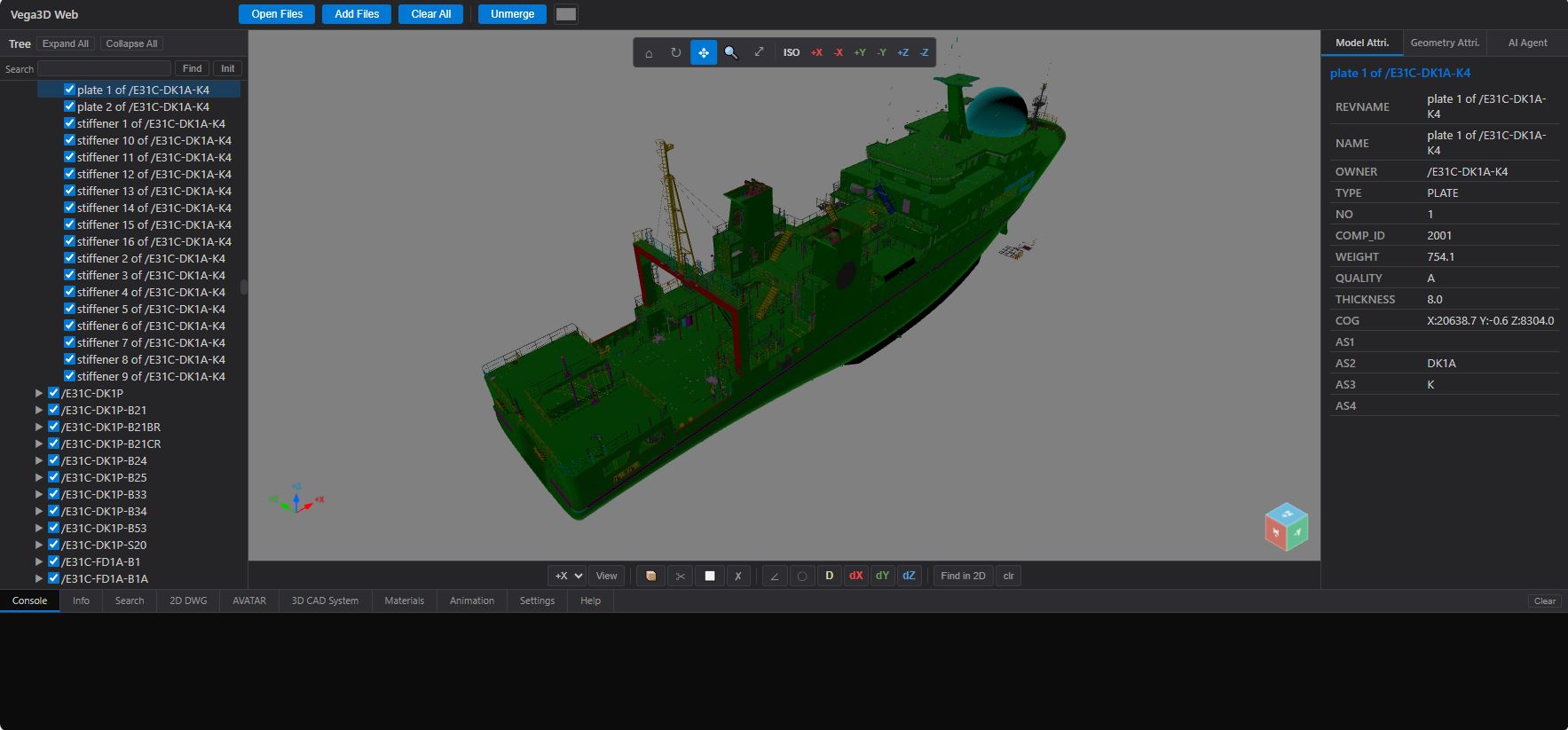
Vega3D Web
V12 ★ MARCH 16, 2026 New
Arrival

Vega3D Web

Web-based Large-Scale 3D Model Visualization Collaboration

Desktop PC Notebook PC Tablet PC Mobile
  • Real-time rendering of CAD models (Web)
  • Load rev / rvm / glb / etc. — Import iges / stp / etc.
  • Measurement / Slicing / Clipping
  • Model & Geometry Attribute — Avatar
  • Model Collide Check — Collaboration System
VegaGO
V13

VegaGO

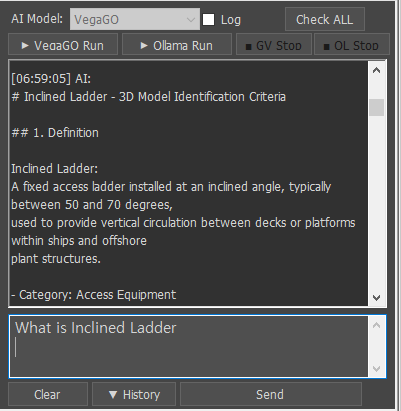
AI Agent Engine — Offline 3D CAD Specialist

Built into Vega3D X Built into Vega3D Web
  • Local LLM Integration — Private AI, no internet required
  • No usage-based cost — flat-rate, on-premise deployment
  • RAG System — Shipbuilding & plant engineering knowledge base
  • Compatible with Vega3D X & other 3D solutions
Vega3D Converter
V14

Vega3D Converter

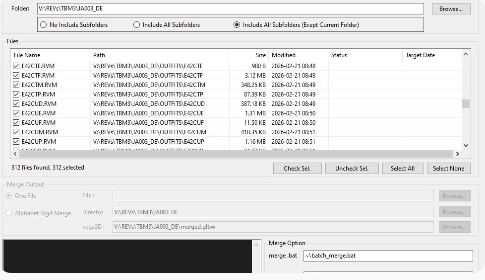
Fast File Format Converter & Merge

Fast Batch RVM / REV → VEGA3D Format Converter

Windows Desktop
  • Folder batch scan — include / exclude subfolders
  • Merge Mode — One File or Alphabet Digit grouping
  • Input: rev / rvm / glb / glbm / glbx / etc.
  • Output: glb / glbm / glbx / .glbw / etc. — Batch Run
Vega3D Vibe Kit
V15 ★ MAY 4, 2026 Launch
ed!

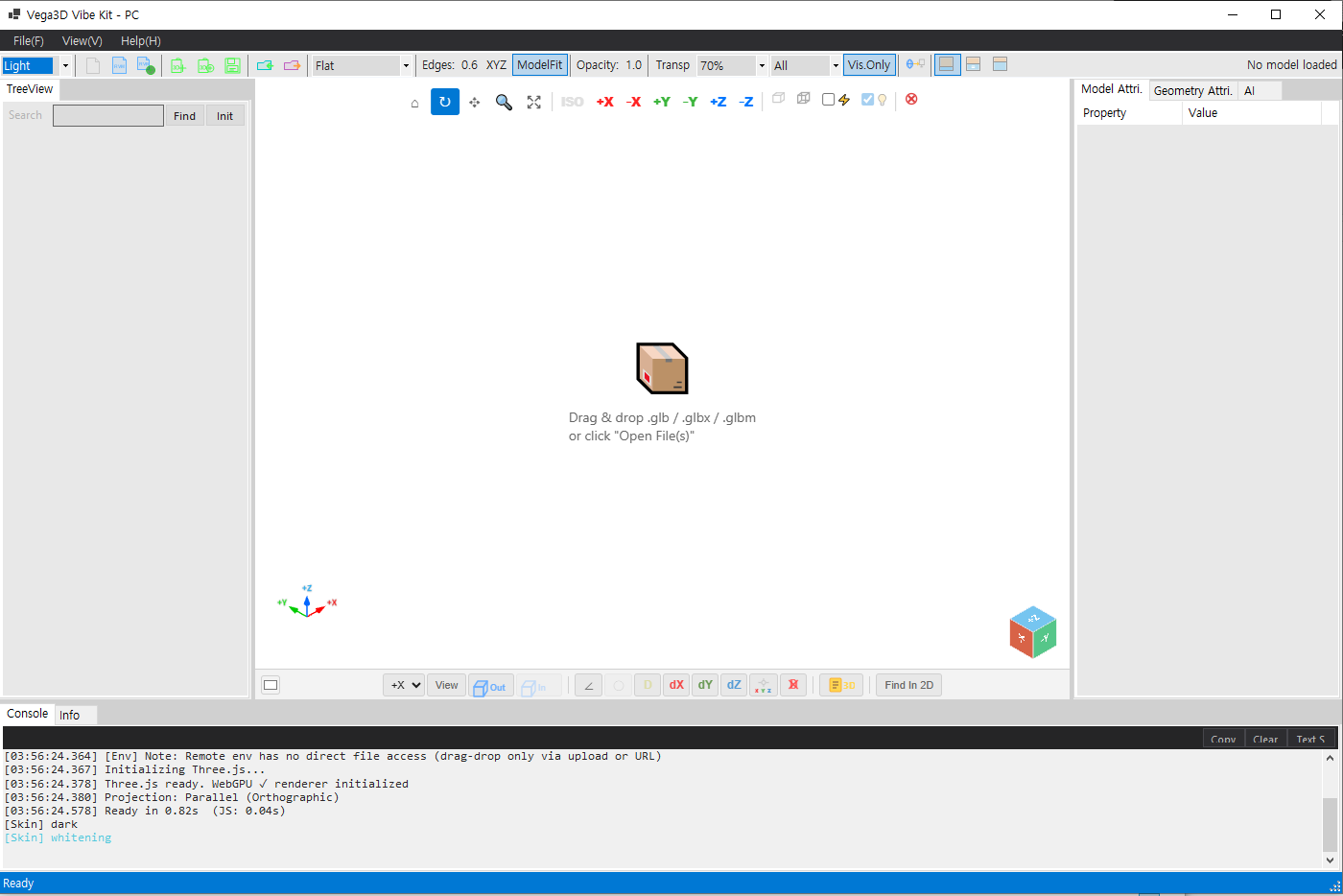
Vega3D Vibe Kit

AI SDK · Developer Kit — Any AI, Any Origin

  • No dev experience required — simple features ~30 min
  • 28+ command unified protocol — single JSON schema for all LLMs
  • US · Chinese · Free · Paid · Web · PC — all AI supported
METHOD 1 Vibe Kit Template

Full-UI viewer — 1,200+ lines TypeScript, AI/LLM voice control ready.

METHOD 2 Embed Kit

<vega-viewer> <vega-tree> <vega-attr>~128 lines, zero boilerplate.

Vega3D ScanTo3D
V16 Coming
Soon

Vega3D ScanTo3D

Reality Capture · AI · CAD Automation

iPhone → Point Cloud → Parametric CAD — fully automated

  • Zero-equip. capture — iPhone / Android / DSLR / Drone
  • 7-stage AI: Capture → SfM → Register → Segment → Classify → CAD → Deliver
  • iPhone LiDAR + Photogrammetry — 50–500 photos, ~10 min / 100 photos
  • Output: DWG · STEP · GLB · IFC · NX · AVEVA
  • Target: Plant & Factory · Shipbuilding · Construction
02 — Marine Solutions

AI-driven analysis, search and generation
across your 3D data.

Specialized marine engineering modules for shipbuilding, offshore & plant production workflows.

Hull Part Manager
M11

Hull Part Manager

Fast File Format Converter & Merge

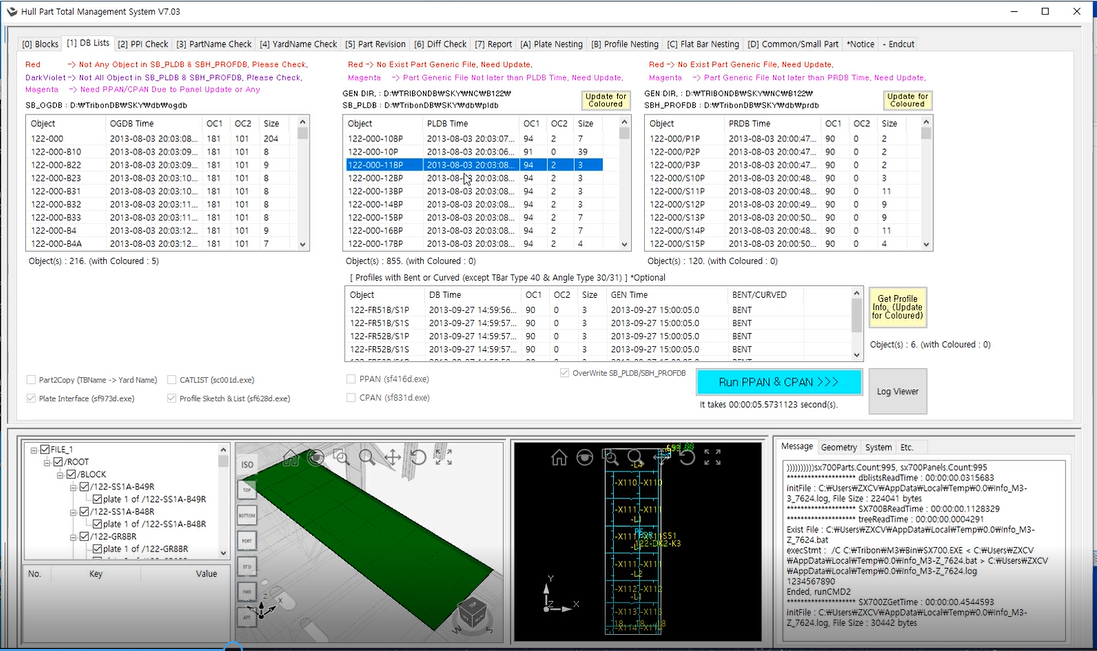
  • Real-Time Interface of Hull Block Model(3D CAD Sytem)
  • Summary Tables for Nesting(Plate/Profile/F-Bar) Systems
  • Production Split Check
  • Report BOM (Ass’y & Cutting)
  • Support PPAN/CPAN
  • Include Part Revision Check
Nesting Solution
M12

Nesting Solution

Fast File Format Converter & Merge

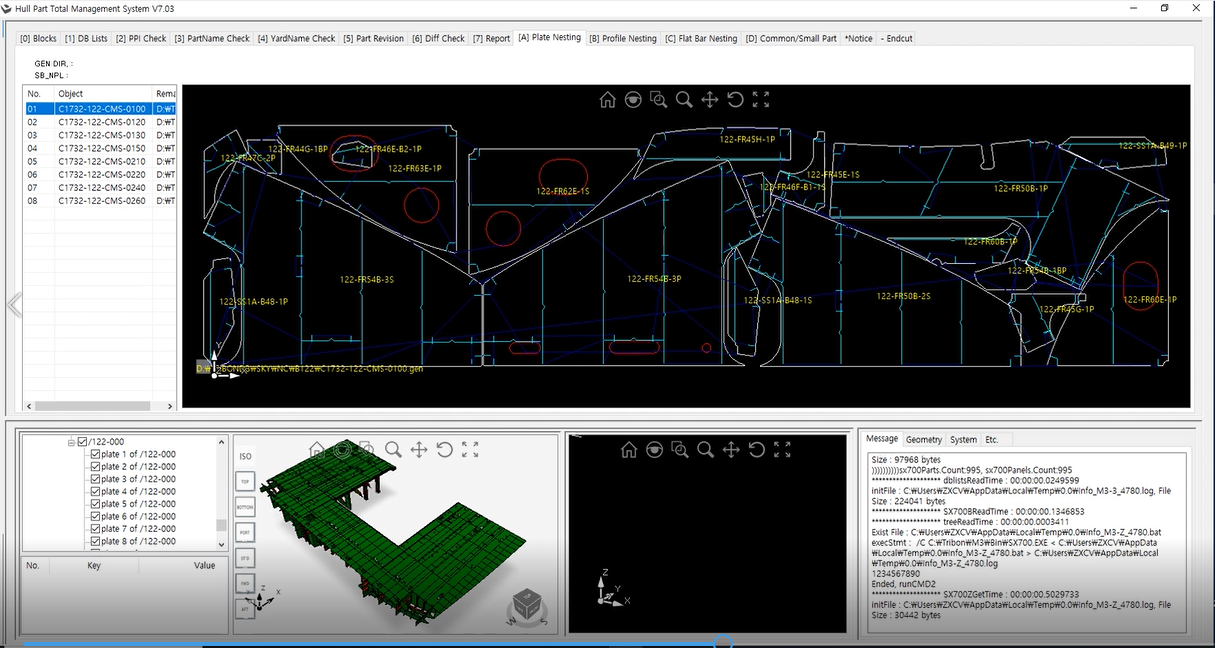
  • Plate / Profile / F-Bar Nesting
  • Support Pre-Nest also
  • Generate NC-Code
  • Generate Excel-BOM (Ass’y / Cutt’g) with Diff. Check
  • Interface/Export to CAD System(Tribon M3 / Aveva Marine 12).
Drawingless MBD
M13

Drawingless (MBD)

Real-Time Drawingless Solution

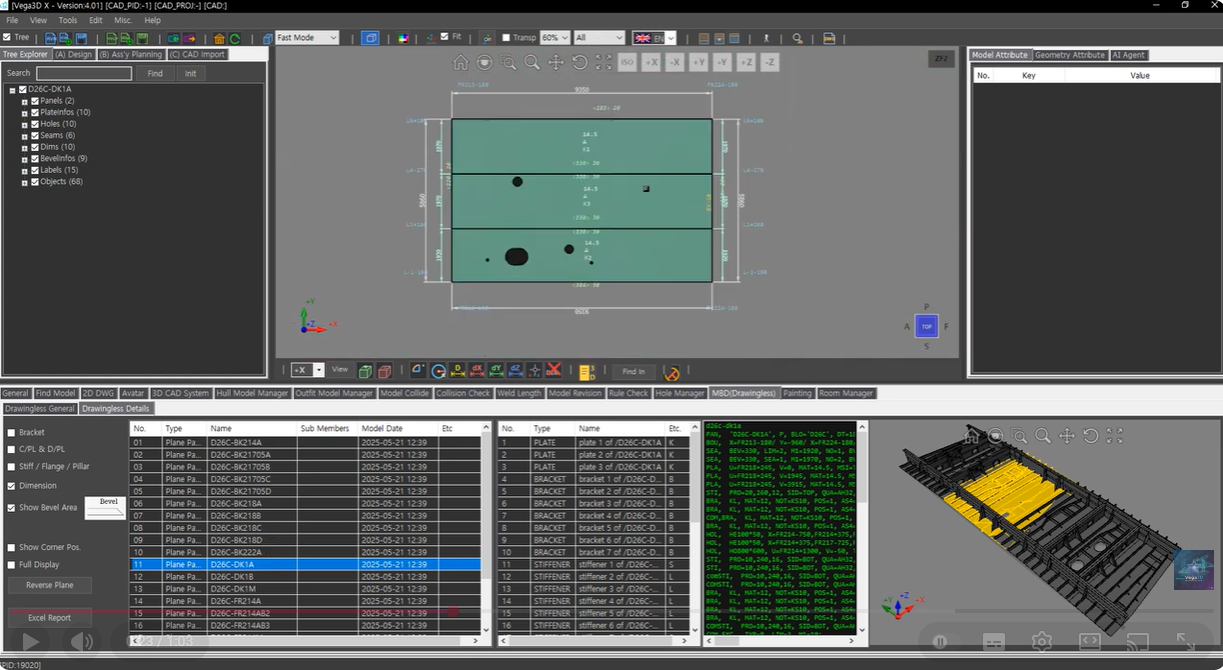
  • Automatically interpret plate geometry and dimension.
  • Fast and efficient hull part generation and verification.
  • Bevel shape visualized directly on 3D hull parts.
  • Outfit Model such as pipe spools can also be applied.
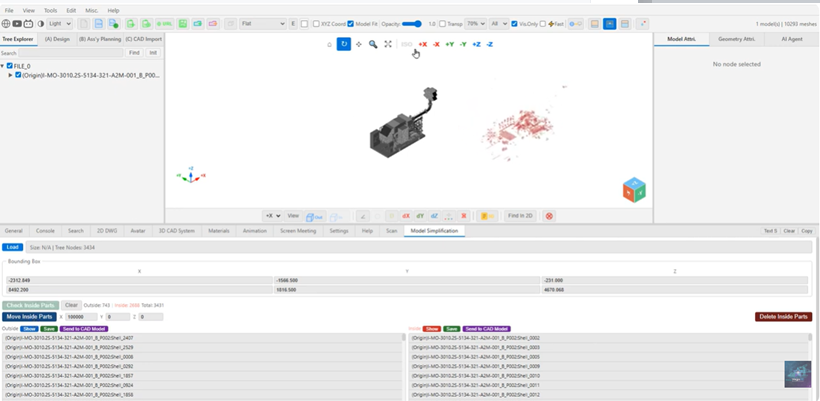
Lightening Model
M14

Lightening Model

Fast Lightening 3D Model Shape & File Size

  • Convert STEP/IGES files into lightweight models, then further optimize by separating them into Exterior and Interior models.
  • Supports output in various formats including .STEP/.IGES and .GLB, and can also generate CAD models directly for platforms such as AVEVA.
  • Easily reduce model data while maintaining visual quality.
Hole Manager
M15

Hole Manager

Automated hole management system

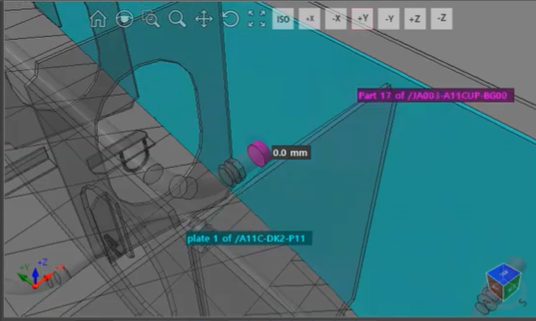
  • Automated Interference Detection
  • Standardized Hole Dimensioning
  • Dynamic Hole Management (Hole Plan)
  • Automatic Drawing & Report
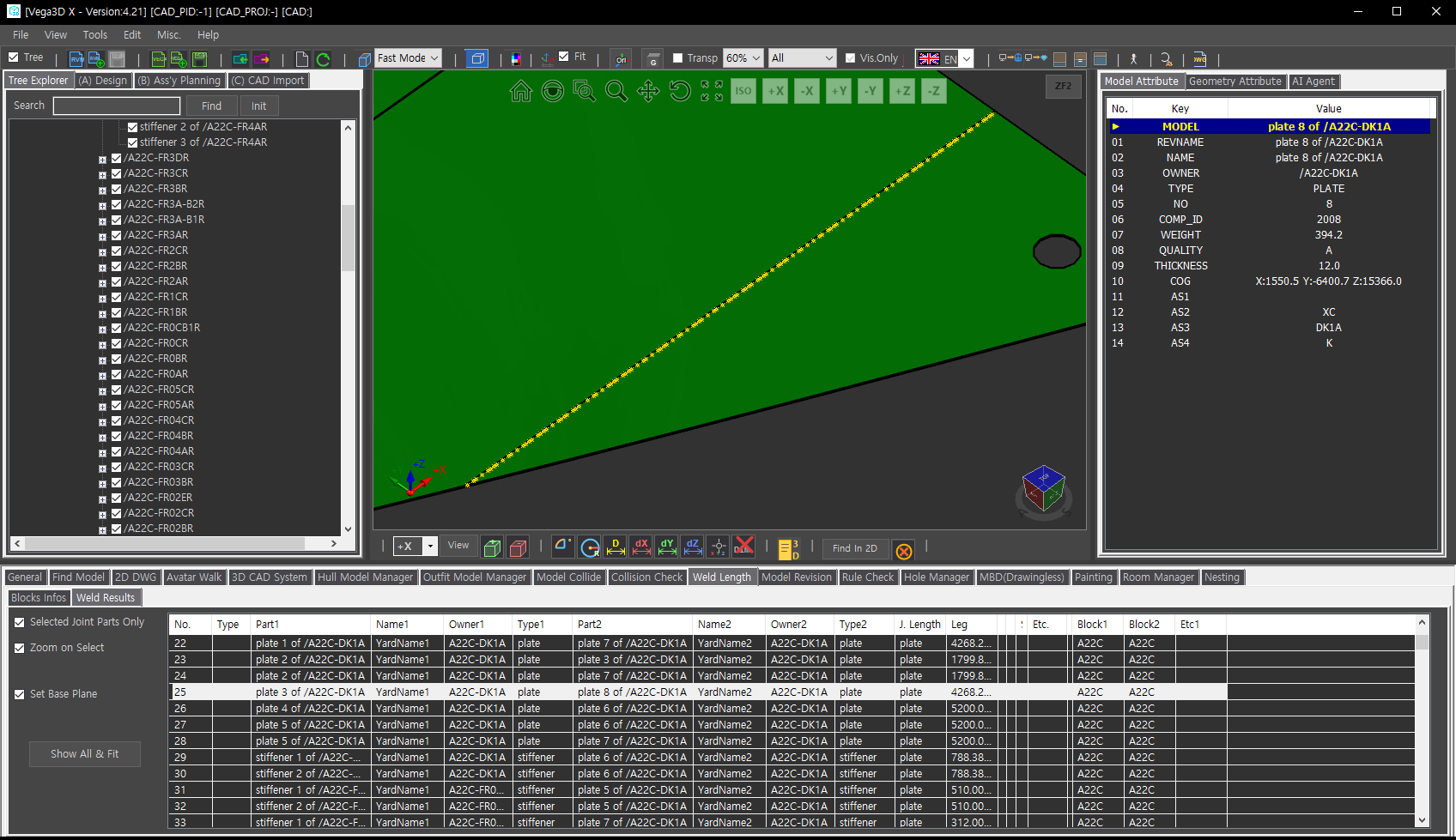
Weld Length
M16

Weld Length

Generation of welding information between Hull Moels

  • Stage calc. function utilizing Ass’y Tree and Block mounting schedule
  • Welding position calculation function utilizing Assembly Base and PE Base
  • Joint Length / NWR / Field Work Volume calc. function between blocks
  • Bevel calculation function utilizing Bevel Code
  • Robot Interface File Generation
  • Report function
Paint Area
M17

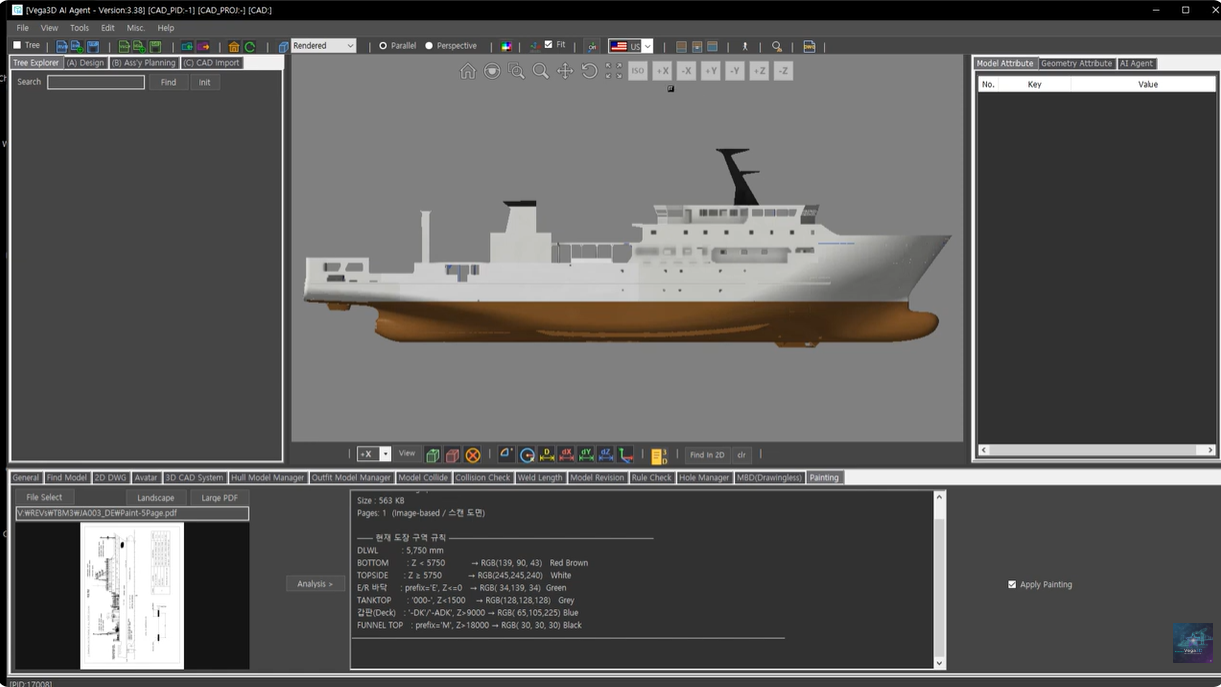
Paint Area

Fast File Format Converter & Merge

  • Automatically identifies paint-area from the 3D ship model.
  • Fast and accurate analysis even for large-scale ship and plant models.
  • Enhances painting management and production preparation.
  • Improves accuracy in material estimation while reducing manual calc. time.
  • Filtering opti. allow external/internal selection, hole removal, and more.
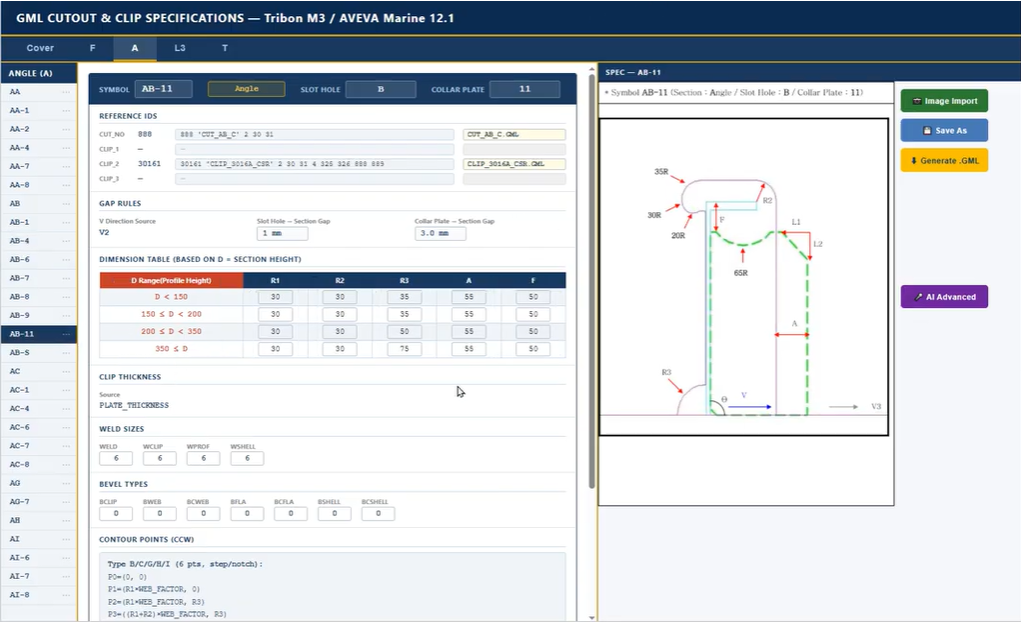
GML Generation
M18

GML Generation

Fast File Format Converter & Merge

  • AI Agent auto. generates GML programs for Slot Holes and Collar Plates.
  • Based on AVEVA Marine / TRIBON production design rules.
  • Instantly interprets cut-out specs and creates accurate geometry.
  • Easily add new types; Bevel & Weld info can be extended with AI.
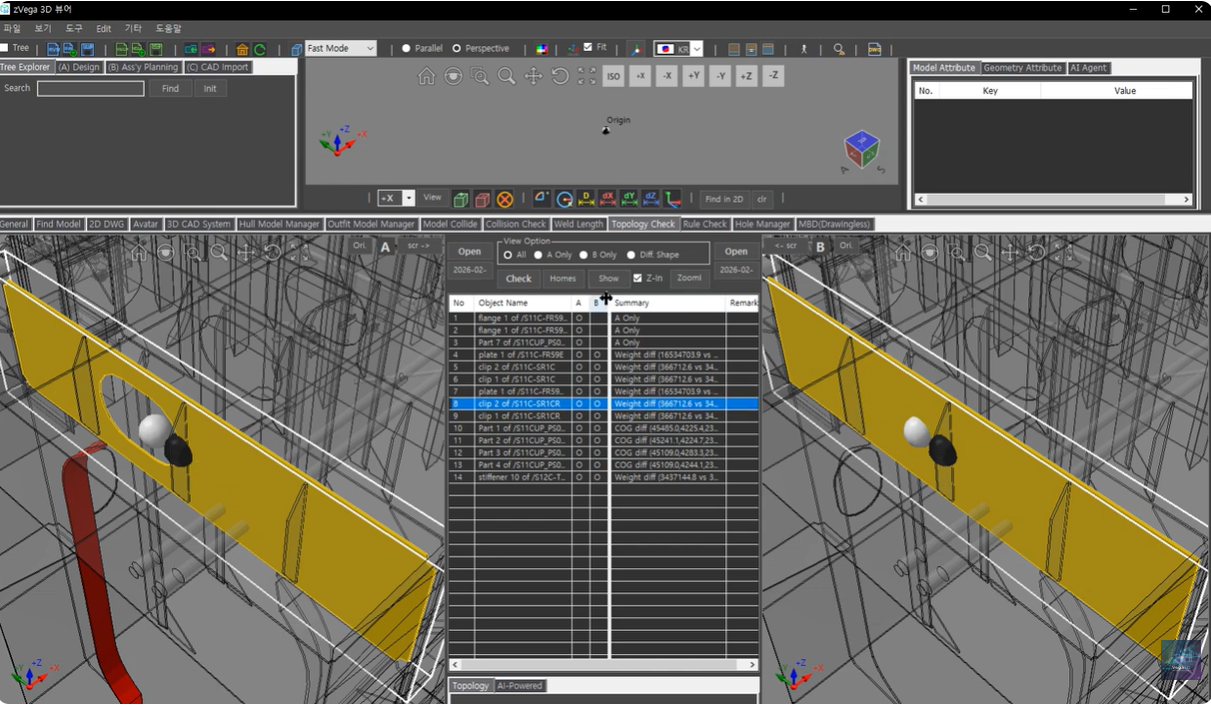
3D Model Revision Check
M19

3D Model Revision Check

Comparison of the model's geometric accuracy and topological Integrity

  • Name Normalization
  • Geometry & Topology
  • Based Comparison -Large Model Loading
  • Dual Viewport Sync.
  • See-Through Highlight
  • Unified Viewport Config
Assembly Planning Tree
M20

Ass’y Plan’g Tree Auto.

Linking real-time configuration and 3D visualization of the mounting and assembly tree

  • Support for automatic configuration of Assembly Planning items based on model naming schemes or model attribute information
  • Real-time update management of hundreds of thousands of components within a construction project using a single tree system
  • Performing system automation using Windows Task Scheduler
  • Utilizing accurate models for each stage in the field applic. of CAD modeling
More Solutions
M21

More Solutions

Solutions for improving work efficiency in production sites

  • Block & Erection Accuracy Control System
  • Block Support Arrangement System
  • Block Arrangement Information Generation System
  • Lifting Lug Design Support System

Key Features

Built with performance and reliability in mind

100% .NET Managed Code

Pure managed code compiled against AnyCPU for maximum compatibility and performance.

Ultra-High Performance

DirectX 11 hardware acceleration for smooth rendering of large CAD models.

50+ File Formats

DWG, DXF, STEP, IGES, STL, OBJ, RVM and many more formats supported.

Windows Forms & WPF

Native integration with both Windows Forms and WPF applications.

Real-time Analysis

Built-in measurement, section views, and analysis tools for engineering workflows.

Secure & Reliable

Enterprise-grade security with regular updates and long-term support.

Industries We Serve

Trusted by engineers across multiple sectors

Marine Shipbuilding and marine plant visualization
Architecture Building design and BIM integration
Manufacturing Product design and industrial equipment
Electronics PCB design and electronic components
Plant Design Oil & gas, chemical, process plant
Infrastructure Civil engineering and infrastructure

Support & Resources

We're here to help you succeed

Documentation

Comprehensive API reference and developer guides

Browse Docs →

Technical Support

Direct access to our engineering team

Contact Support →

Sample Projects

Ready-to-run examples and code samples

Download Samples →

Video Tutorials

Step-by-step video guides and walkthroughs

Watch Tutorials →

Supported File Formats

Import and export over 50 industry-standard file formats

CAD Formats

  • DWG (R12–2024)
  • DXF
  • DWF
  • DGN

3D Exchange

  • STEP / STP
  • IGES / IGS
  • Parasolid
  • SAT / SAB

Mesh Formats

  • STL
  • OBJ
  • PLY
  • 3DS

Specialized

  • RVM (AVEVA)
  • IFC (BIM)
  • FBX
  • glTF / GLB

License Policy

Vega3D licensing terms and feature matrix

Vega3D Manager

License Type: Trial (1 Year) / Professional

Issued online — requires User PC Hardware ID

Platform: PC / Web (Browser or Portable)

Functions

  • File Open & Add / Tree Structure / Model & Geometry Attribute
  • Clipping & Slicing (UI or Commands) / Dimensioning
  • Seamless sync. and interaction between 3D models, trees, and attributes
  • Colour & Transparency / Material & Texture
  • * CAD Model Direct Interface / * AI Agent
  • * Model Collide Check / * Import & Export File

(* applies only to Professional)

Vega3D Vibe Kit

License Type: Professional

Issued online — requires User PC Hardware ID

Platform: PC / Web (Browser or Portable)

Development products are compatible among Vega3D license holders

Functions

  • File Open & Add / Tree Structure / Model & Geometry Attribute
  • Clipping & Slicing (UI or Commands) / Dimensioning
  • Seamless sync. and interaction between 3D models, trees, and attributes
  • Colour & Transparency / Material & Texture
  • CAD Model Direct Interface / AI Agent
  • Model Collide Check / Import & Export File / Vibe Coding
  • Winform Support (Visual Studio 2022+ / C#) for PC Platform
  • Browser Edition Support for WEB Platform

Vega3D Converter

License Type: Trial (1 Year) / Professional

Functions

  • Convert REV/RVM to GLB (Vega3D Format)
  • Merge GLB Files into a single GLB File
  • Automatic operation linkage when linked with REV/RVM extraction from the server system (Professional only)
  • Encryption (optional)

Contact Us

Get in touch with our team

Website

vega3d.xyz

YouTube

@Vega3D0908

WeChat

Vega3D

Line

vega3d0908

International Sales Network

China

China

Contact: 陈普冲 (Chen Puchong)

Company: 苏州灵玑信息科技有限公司

E-mail: 894294499@qq.com

Mobile: +86-138-1880-6812

WeChat QR Code

WeChat QR — 扫一扫添加好友

Japan

Japan

Contact: —

Company: —

E-mail: —

Mobile: —

Korea

Korea

Contact: VEGA3D

Company: VEGA3D

E-mail: vega3d@yahoo.com

Mobile: (+82) 10-4027-7436